> For the complete documentation index, see [llms.txt](https://emeth-1.gitbook.io/emeth-white-paper-en/llms.txt). Markdown versions of documentation pages are available by appending `.md` to page URLs; this page is available as [Markdown](https://emeth-1.gitbook.io/emeth-white-paper-en/4.-node/4-2.-how-to-become-a-emeth-node/4-2-1.-how-to-set-up-emeth-node-for-windows-users.md).
# 4-2-1. How to set up EMETH Node for Windows users
This guide provides a comprehensive, step-by-step procedure for setting up an EMETH Node on a Windows OS.
## ◇ Set up flow
1. Preparation
2. Install EMETH Node
3. Launch EMETH Node
## 1. Preparation
### (1) Checking up hardware requirement
**■ Recommended Hardware Requirement**
```
- Windows 10 or higher
- CPU: Equivalent to Intel Core i5–10400 4.3 GHz or higher
- GPU: Equivalent to NVIDIA GeForce RTX 3090 (24GB RAM) or higher
- Memory: At least double the RAM of the above GPU
- Disk: 256GB or more, 1~2TB recommended for ample space
- Power Supply: Capable of supporting the above configuration
- Note: Current job categories do not support AMD Radeon
```
### (2) Install Docker
Install Docker Desktop 4.27.1 (136059)
### (3)Prepare MATIC
* Prepare Metamask wallet for node set up, and send MATIC to that wallet.
*Note: Each job execution costs slightly less than 0.1 MATIC (approximately 0.05\~0.07 MATIC). It is recommended to prepare about 150 MATIC.*
### ◇Guide for how to prepare MATIC
How to buy Polygon MATIC tokens easy way.
## 2. Download EMETH Node
Install EMETH Node from the installer below
## 3. Launch EMETH Node
### (1) Launch Docker
* Launch the Docker installed during the preparations.
* **Docker needs to be running before launching the EMETH Node.**
### (2) Launch EMETH Node
Launch EMETH Node installed previous step.
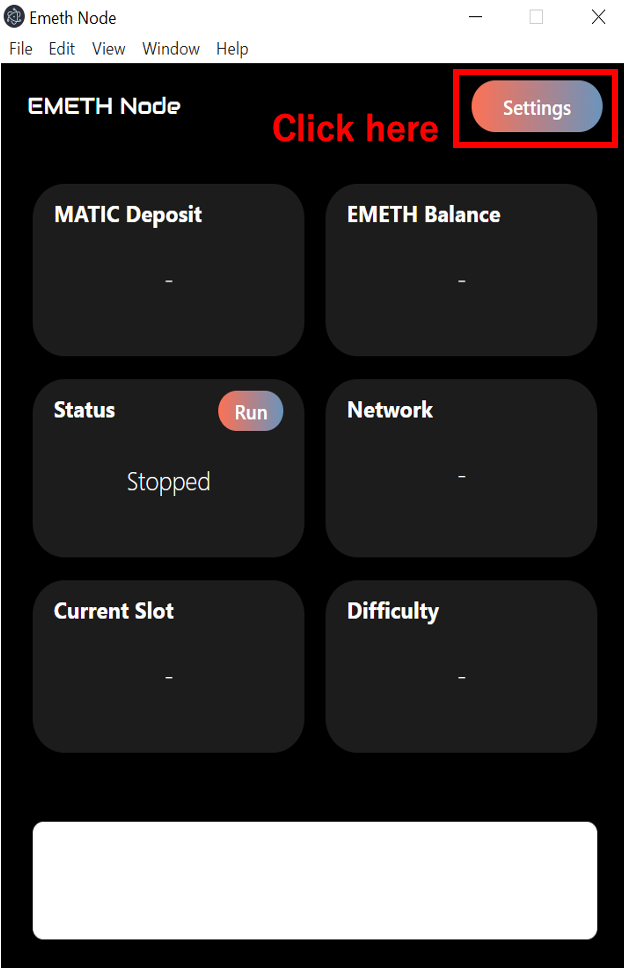
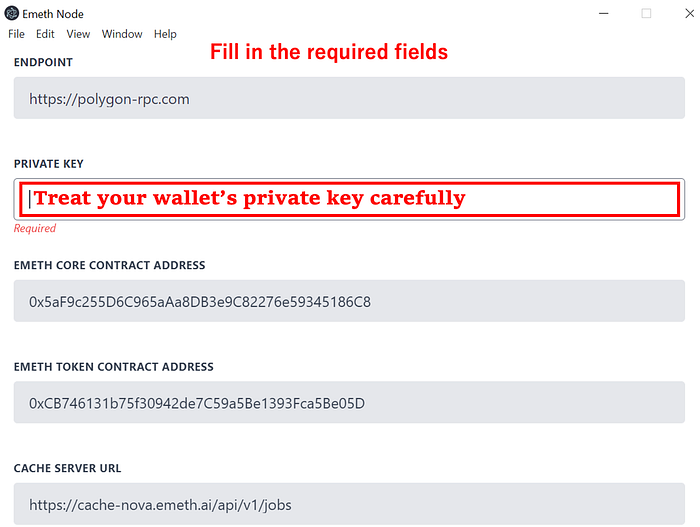
### (3) Enter Initial Setup Items
Here are the Calibration phase setup items\
*Note: Item contents may change due to phase changes or updates.*
> -Endpoint: [https://polygon-rpc.com](https://polygon-rpc.com/)
>
> -Private Key: Please enter — Handle with care when entering your wallet’s private key
>
> \- EMETH Core Contract Address: 0x5aF9c255D6C965aAa8DB3e9C82276e59345186C8
>
> -EMETH Token Contract Address: 0xCB746131b75f30942de7C59a5Be1393Fca5Be05D
>
> -Cache Server URL:
>
> \- Storage API URL:
>
> \- Processor: Limited to 84
>
> \- GPU Enablement: Enabled
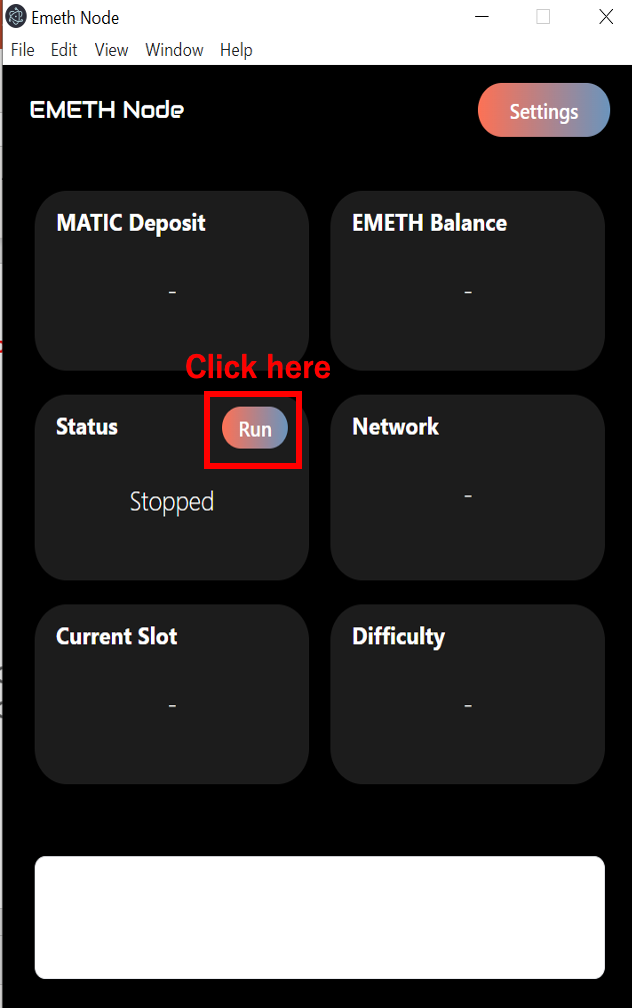
### (4) Start Providing Computing Power
Press the start button and wait.
If started correctly, the following code will be displayed:
> \[LOG] Monitoring cache server at 10s intervals… \[LOG] \[Job ID:0xe21a0246273ad0025e1e15a3a1675adb] Starting to process… \[LOG] \[Job ID:0xe21a0246273ad0025e1e15a3a1675adb] Running processor container for program ID: 84… \[LOG] \[Job ID:0xe21a0246273ad0025e1e15a3a1675adb] Submitting the result… \[LOG] \[Job ID:0x7e9f3c425efe492de55e7352944e777f] Starting to process… \[LOG] \[Job ID:0x7e9f3c425efe492de55e7352944e777f] Running processor container for program ID: 84…
This is the end of the set up process.\
Now you have successfully built EMETH Node.
## ◇ Inquiries
If you encounter any errors or have any questions, please contact us in the Discord channel.\
Discord:
[ ](https://medium.com/@emeth_official?source=post_page-----b3c561c56149--------------------------------)